
Thariq’s article starts from a practical frustration that anyone using coding agents will recognize: Markdown is excellent until the artifact becomes too large, too visual, or too interactive. It is portable, reviewable, and easy to edit by hand. But when an agent is producing specifications, explorations, pull request explanations, reports, mockups, or one-off editors, Markdown begins to act less like a medium and more like a ceiling.
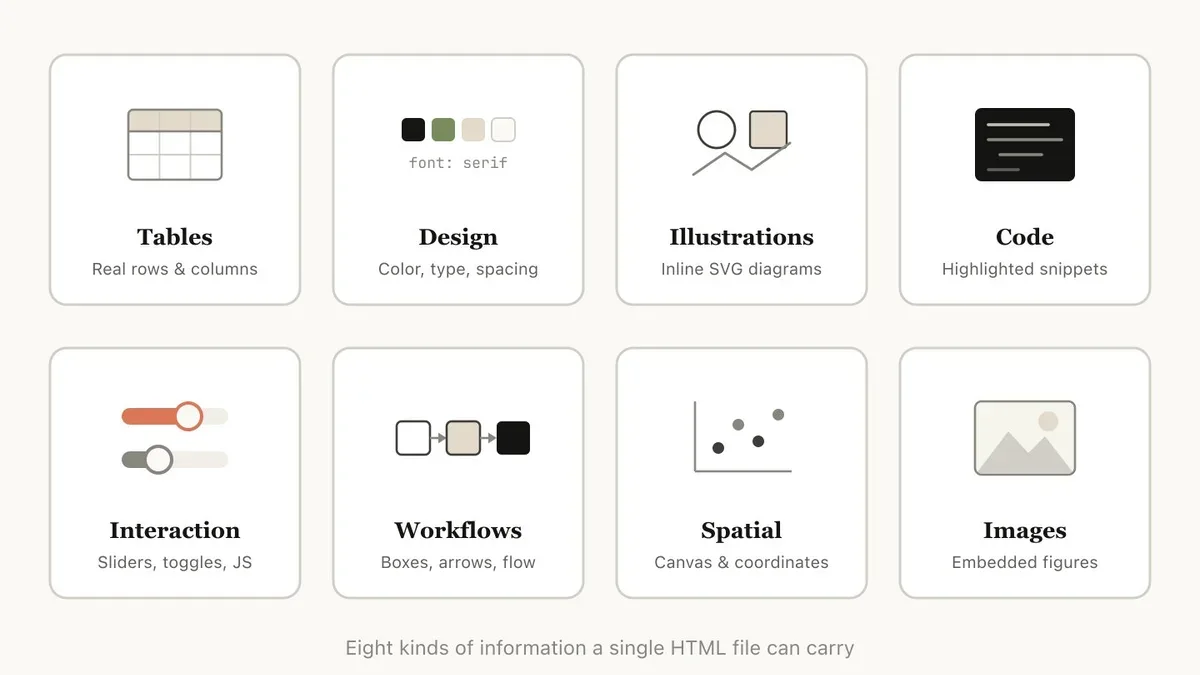
The interesting claim is not that HTML is prettier. It is that HTML gives the agent a richer surface for thought: structure, layout, diagrams, tables, controls, links, images, and small interactions can live in the same artifact. The output stops being a long text file and becomes a readable interface.
Markdown Was Built for Documents
Markdown won because it is deliberately small. You can read it raw. You can diff it. You can paste it into almost anything. For human-written notes, docs, READMEs, changelogs, and lightweight specs, that restraint is a feature.
Agents change the pressure on the format. They do not mind writing verbose markup. They can generate layout, CSS, SVG diagrams, annotated code blocks, comparison grids, and copy buttons without feeling the cost the way a human author would. The human cost moves elsewhere: will anyone actually read the output?
That is where HTML becomes compelling. A 150-line Markdown plan often asks the reader to simulate hierarchy in their head. The equivalent HTML artifact can separate sections visually, place alternatives side by side, make diagrams legible, and expose the next decision instead of burying it in prose.
The best agent artifact is not the one that is easiest for the model to emit. It is the one the human is most likely to inspect, challenge, and reuse.
The Interface Can Be Disposable
The most useful part of the idea is that the HTML file does not have to become product code. It can be a disposable interface made for one decision.
Need to compare six onboarding directions? Generate one page with six panels. Need to understand a tricky diff? Render the flow, annotate the risky lines, and color findings by severity. Need to reorder tickets, tune a prompt, edit feature flags, or classify dataset rows? Build a small local editor with an export button that turns the human choices back into Markdown, JSON, or a prompt.
This is not a replacement for design systems, documentation platforms, or production UIs. It is a new middle layer: agent-generated working interfaces. They are temporary, contextual, and optimized for the moment when a person needs to decide.
Why This Matters for Claude Code
Claude Code is especially well suited to this pattern because it can work inside the project context. It can read code, history, docs, tests, and local files, then synthesize an artifact that is grounded in the actual system rather than a generic browser prompt.
That matters for code review and planning. A useful review artifact can show the diff, explain control flow, call out invariants, and connect changes to tests. A useful plan can include mockups, data flow, file ownership, acceptance criteria, and a sequencing map. The format lets the model combine explanation and inspection in one place.
HTML Changes the Review Loop
Once the artifact is visual, the human can respond differently. Instead of saying “rewrite this plan,” they can point to a section, compare variants, adjust a slider, export selected options, or ask the agent to preserve a preferred branch of the exploration.
This turns the file into a shared workspace rather than a static answer. The agent creates the first interface. The human edits the direction. The agent converts that signal back into implementation work.
The Tradeoffs Are Real
HTML is not free. It is noisier in version control. It can take longer to generate. Bad HTML can become a messy pile of inline styles and accidental complexity. If the artifact needs long-term maintenance, Markdown or a structured document format may still be better.
There is also a security boundary. Agent-generated HTML should be treated like code, especially when scripts, local data, or copied snippets are involved. Open it locally when appropriate, avoid loading untrusted third-party resources, and do not confuse a prototype artifact with reviewed production UI.
The best rule is simple: use HTML when the artifact needs layout, comparison, visualization, interaction, or sharing. Use Markdown when the artifact needs durable prose, clean diffs, and low ceremony.
What to Try First
The adoption path does not need a framework. Ask the agent for one HTML file when the output would otherwise become unreadable:
- turn a complex implementation plan into a browsable one-page brief;
- turn a pull request into a visual explainer with annotated snippets;
- turn a product decision into side-by-side options with explicit tradeoffs;
- turn messy structured data into a temporary editor with a copy/export action;
- turn a research synthesis into a compact report with diagrams and references.
The deeper lesson is about agency, not markup. As coding agents become better at doing the work, the bottleneck moves to human attention. HTML is useful because it gives that attention a better surface to land on.
Technical glossary
Agent artifact: an output produced by an AI agent for human review or reuse, such as a plan, report, mockup, explainer, or temporary tool.
Working interface: a purpose-built UI generated for a specific decision or task, often discarded after it has served its purpose.
Markdown: a lightweight text format for documents. It is easy to read raw, easy to diff, and widely supported.
HTML: the markup language of the web. It can represent semantic structure, links, media, forms, tables, and interactive surfaces with CSS and JavaScript.
Disposable UI: an interface designed for temporary use rather than long-term product maintenance.
Export action: a control in a temporary interface that converts human edits back into a durable format, such as JSON, Markdown, a patch, or a prompt.
Review loop: the cycle where an agent proposes work, a human inspects or adjusts it, and the agent uses that feedback to continue.